2026년 10월

Lovd.의 새로운 소식

새로운 기능, 개선 사항 및 수정. 거의 매일 작은 업데이트를 출시합니다.

New

A new look

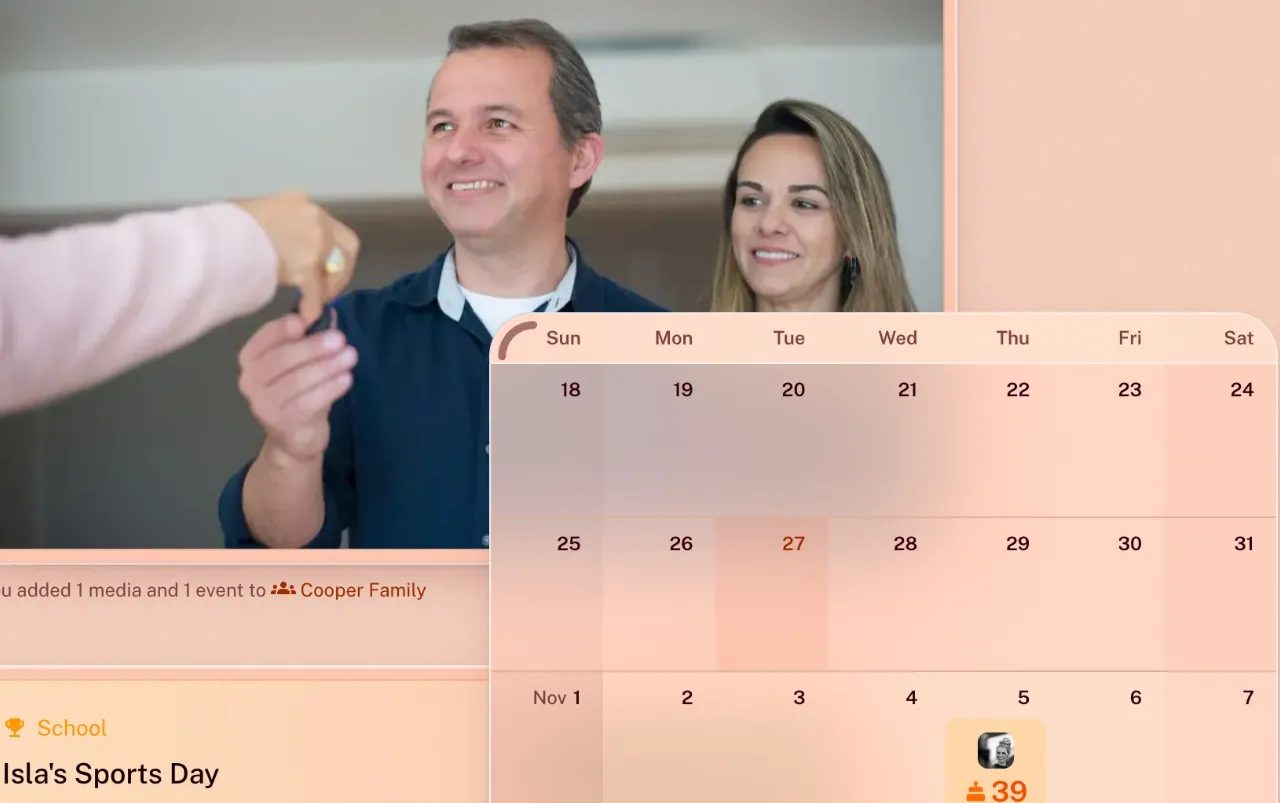
Lovd has a fresh, lighter look. Every page fills the whole screen and the controls float over it on glass, so your photos get the room.

Views side by side, wherever you like

Open the map, the timeline or the calendar beside what you are looking at. Each one opens in a floating panel that you can resize and drag to wherever suits you.

New

Search your family tree

Looking for someone in a big family tree? The People view now has one toolbar for both the Tree and the Grid, with Search people in it. Type a name and the Grid shows only the people who match, while the Tree fades everyone else and brings the matches into view, so you can spot a cousin without scrolling around.

New

Report and block

If something someone shares doesn't belong in Lovd, you can now tell us. Open the menu on a post, a photo, a comment or someone's profile and choose Report post, Report photo, Report comment or Report. Pick what's wrong, add a note if you like, and choose Send report. The Lovd team reads every report, and what you reported is hidden for you straight away.

You can also block someone from their profile or from one of their comments, or tick the box to block them too when you report. You won't see their posts, photos or comments, and they can't tag you, mention you or send you notifications. They aren't told, and nobody is removed from a collection you share. Changed your mind? Find them under Settings, Privacy, Blocked people and choose Unblock.

New

Trips on the map

Open a post on the map whose photos were taken in more than one place, and the map draws the trip: a route through every stop in the order the photos were taken, in the post's colour. As you step through the post's photos, the map flies along the route to where each one was taken. Tap a stop on the map to jump straight to its photo.

A post's photos now also play in the order they were taken, so a trip reads from the first stop to the last.

Change a post's type

Made an album that turned out to be a trip, or a note that deserves to be an event? Choose Edit post and pick a new Post type. An event with guests stays an event until you remove them, so nobody keeps access without a guest list.

Upload without a collection

A collection is a suggestion, never a requirement. Choose Upload with no collection picked and Lovd asks Upload without a collection? Choose Upload anyway, or name a new collection and choose Create and upload to make it and fill it in one step.

New

Reply to a photo in your feed

See a photo in your home feed that you want to say something about? Choose Reply on the photo and a comment box opens right under the update, with the photo you picked beside it. Write a few words, send, and your comment appears with the others on the card. Changed your mind? Press Escape or the X to let it go.

The same spot on each photo also holds the magnifier, so you can open a photo full screen straight from the feed.

Improved

Burst groups in posts

A burst group in a post shows as one photo, its cover with a small badge saying how many more are inside, just like in your gallery. A post with a twenty-shot burst keeps its grid for the moments that differ. Choose Open photo details on the cover to step through every shot in the burst.

When you edit the post, the burst group is one tile too. Take it out and the whole burst leaves the post, while the burst group itself stays as it is.

Posts without a title

A post made from photos doesn't need a title anymore: the photos say it all. Leave the title empty and the post is shown with its kind and date instead, such as Journal · 12 Jul 2025. Events and posts without a photo still ask for a title.

Improved

New since you were last here

Back after a few days away? A quiet line in your home feed marks where the updates you haven't seen begin, such as New since Tuesday. Everything below it is what you already saw, and everything above it is new.

When there is more that's new than fits on one screen, the feed opens right at that line, so you can read down to the newest update without hunting for where you left off. Updates you added yourself never count as new.

New

A new profile page

Open anyone's profile to see their life at a glance: how many photos and posts they have, and over which years. Through the years shows a column for every year, so you can pick one and see just those memories.

Memories opens with anything from today's date in other years, and can be filtered to photos, posts or the ones they are tagged in. Their collections are listed with how much of theirs each one holds. About gathers their birthday and birthplace, the people they are most often in photos with, and the places their memories were made. On a Lovd One you added, choose Add their story to write a few lines about who they were and what they loved.

Clearer photo and post details

Opening a photo or a post shows its details in tidy cards. The date leads, one line says who added it and to which collections, and a small map shows where it was taken. Camera details sit together in one row, and comments have a card of their own.

If a date or a place is missing, you will see No date or No location in its spot. If the photo or post is yours to edit, tap it to fill it in.
New

Burst groups

Took a burst of near-identical shots? Select them and choose Group as a burst to show them as one tile in your gallery. One photo is the cover, and a small badge says how many more are inside. Open the burst group to step through every photo in it, choose Make cover for a different favourite, or take one out with Remove from burst group.

Lovd also spots photos you took seconds apart. Open one of them and a card under the photo offers to group them as a burst, or choose Keep separate and it won't ask again. Split burst group puts every photo back on its own, and nothing is ever deleted.

Improved

A new slideshow

The Slideshow button in the gallery's toolbar opens a full-screen slideshow right over your gallery, one photo at a time. Play, pause and step through your photos from the controls at the bottom. Slideshow options let you pick the speed, choose a fade or slide transition and shuffle the order, and the Full screen button hands the whole screen to your photos.

Emails that say what happened

Lovd's emails have a fresh look in the app's own colours, with a dark version too. A comment email shows who wrote what, and on which post. A new posts email lists the titles of what was added, and an event reminder shows the time on your own clock and the place.

More icons to choose from

The icon picker for collections and posts has many more icons, sorted into clearer groups such as Weather & seasons and Faith & remembrance. Search finds them by the words you would use, like "birthday" or "beach".

Improved

A redesigned home feed

The home feed has a new design. The newest updates are now at the bottom, where the feed opens, and scrolling up takes you back in time. Your own updates sit on the right and everyone else's on the left, each beside the person who shared it.

Share from the bottom of the feed

A bar at the bottom of the feed has Upload media and New post. Drop photos onto it to upload them, or write a post and choose its collection without leaving the feed.

Comments on the feed

Each update shows its latest comments. Tap one to open the photo or post it belongs to.

New

See a new post on the map

While you are creating a post, it now shows as a pin on the map at its location, in the icon and colour you have chosen. Change either and the pin changes with you.

Right-click the map and choose New post here to start a post at that exact spot. To move it, right-click somewhere else and choose Use this location.

가장 소중한 추억을 카메라 롤에 묻어두지 마세요.

평생 무료, 신용카드 불필요
무제한 컬렉션, 노트, 이벤트
누구나 초대해 함께 보거나 추억을 더할 수 있습니다

출시 예정 iPhone과 Android에서 만나요

계정 만들기

친구와 가족이 이걸로 나를 찾을 수 있어요.

@